Keyboard Speed Typing Challenge
Reviews
Keyboard Speed Typing Challenge transforms typing practice into an engaging arcade experience. The space theme is well-executed, with ships that clearly display words and a responsive typing system. The difficulty curve is smooth, allowing players to improve without frustration. It is an excellent tool for anyone wanting to boost their typing fluency in an entertaining way.
Description
Core Typing Mechanic
Players see words displayed on enemy ships that descend from the top of the screen. The goal is to type each word correctly, letter by letter, to eliminate the ship before it reaches the player's vessel. Each correct keystroke reduces the ship's progress, and finishing the word removes it entirely. The game provides immediate feedback on each typed letter, helping players correct mistakes in real time.
Progressive Difficulty
As the game continues, ships appear more frequently and move faster. This gradual increase in speed pushes players to type more quickly without sacrificing accuracy. The challenge scales naturally, making it suitable for beginners who want to build confidence and for experienced typists looking to maintain their edge.
Visual and Audio Design
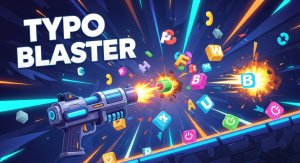
The space-themed backdrop features a dark starfield with colorful ships and a player spaceship at the bottom. Typing actions produce subtle sound effects that confirm correct keystrokes, while completing a word triggers a brief visual cue. The interface is clean and uncluttered, focusing attention on the words and the oncoming ships.
Learning Through Play
This game turns typing practice into an engaging activity. Instead of repetitive drills, players react to words in a dynamic environment. The need to type quickly and accurately under time pressure helps reinforce word recognition and keyboard familiarity. It is designed to be both educational and entertaining for all age groups.
Accessibility and Family Suitability
The game uses a standard keyboard and requires no special hardware. It is free from any violent or inappropriate content, making it a safe choice for children and adults alike. The simple rules and clear visual feedback allow anyone to start playing immediately without a tutorial.