Block Positioning Logic Challenge
Reviews
This puzzle game stands out for its clean design and thoughtful progression. The core mechanic of pushing blocks to connect with power sources is simple to understand but offers plenty of depth. Each new obstacle, whether a wall or moving platform, forces you to rethink your strategy. The lack of a timer removes pressure, allowing you to enjoy the mental challenge at your own pace. It is a great choice for anyone who enjoys logic puzzles without any distracting elements.
Description
Core Puzzle Mechanics
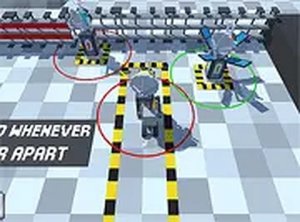
The central activity involves moving a small robot through a series of platforms. Each platform contains one or more large blocks and a power source. By pushing a block into the correct spot, the block links to the power, which then opens a gate. This simple action is the foundation for every puzzle in the game. Players must decide which block to move first and in what order to push them. Sometimes a block must be moved away from a power source to allow another block to connect. This push-and-connect loop creates a satisfying cycle of trial and adjustment.
Obstacle Variety and Level Design
Each level presents a fresh arrangement of walls, gaps, and moving surfaces. These elements force players to rethink their approach. A wall might block a direct path, requiring a detour. A gap might need to be crossed by pushing a block into a specific position. Moving platforms add a timing element, as the robot must wait for the right moment to step on or off. The difficulty increases gradually, introducing new obstacles one at a time so players can learn each mechanic before combining them.
Visual Style and User Interface
The game uses clean, simple graphics with a bright color palette. The robot character is small and easy to spot against the background. Blocks and power sources are clearly marked, making it obvious what needs to be connected. The interface is minimal, with only essential controls visible. A full-screen mode is available for players who want to focus without distractions. The overall look is friendly and approachable, suitable for younger players as well as adults.
Controls and Accessibility
Players can use either a keyboard or a mouse to control the robot. Keyboard controls typically involve arrow keys or WASD for movement. Mouse controls allow clicking on adjacent tiles to move the robot. Both methods are responsive and easy to learn. There is no timer or score system, so players can take as much time as they need on each puzzle. This makes the game accessible to people who prefer a relaxed pace. The game runs in a standard web browser and requires no downloads or installations.
Strategic Thinking and Problem Solving
Success depends on planning several moves ahead. Before pushing any block, it helps to survey the entire level and identify the correct final position for each block. Sometimes the solution is not obvious, and players must try different sequences. The ability to disconnect a block by pushing it away from a power source is a key tool for correcting mistakes. This encourages a mindset of experimentation and learning from failed attempts. Each solved puzzle provides a sense of accomplishment and motivates players to tackle the next challenge.