Toddler Learning Phone Adventure
Reviews
Toddler Learning Phone Adventure is an excellent tool for early childhood education. The game's intuitive design allows even the youngest learners to explore numbers, letters, and words independently. The cheerful animations and sounds provide constant encouragement, making each interaction rewarding. Parents will appreciate the safe, ad-free environment and the focus on foundational skills. It is a wonderful supplement to real-world learning activities.
Description
Game Introduction
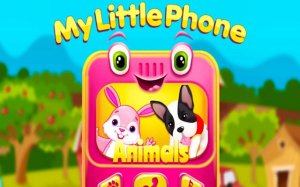
Toddler Learning Phone Adventure is an educational digital toy designed for toddlers and young children. It combines learning with playful interaction, helping kids explore numbers, letters, and basic words in a colorful, safe environment. The game uses cheerful visuals and sounds to make early education enjoyable, supporting cognitive development through repetition and positive reinforcement. It is a great tool for parents looking to introduce foundational skills in a fun, screen-based activity. The core objective is to make early learning engaging and accessible, encouraging children to discover new concepts at their own pace. What makes this game unique is its focus on simplicity and positive feedback, ensuring every interaction feels rewarding. The game is designed to be intuitive, so even very young children can navigate it independently. It covers essential early learning topics like counting, letter recognition, and word association, all presented through bright animations and friendly characters. The game aims to build a strong foundation for future learning by making education feel like play. Parents can feel confident that their child is engaging with content that is both safe and beneficial for cognitive growth.
How to Play
Playing is simple and intuitive. Children tap, swipe, and interact with on-screen elements to learn. For example, they may tap a number to hear it counted, trace a letter to learn its shape, or press a button to hear a sound. The game encourages exploration at their own pace, with immediate positive feedback from sound effects and animations. This makes every interaction rewarding and motivates continued learning. The interface is designed with large, colorful buttons and clear visual cues, so children can easily understand what to do. There are no complex menus or instructions, allowing kids to jump right in and start discovering. The game responds to each action with cheerful sounds and encouraging animations, reinforcing the learning experience. Children can repeat activities as many times as they like, helping to solidify new concepts through familiarity. The game is designed to be self-directed, so kids can choose what they want to learn next, whether it's numbers, letters, or words. This freedom to explore helps maintain interest and fosters a love of learning.
Game Features
Features include learning numbers and letters through interactive tracing and counting. Musical discovery allows children to create simple tunes. Classic nursery rhymes are integrated into gameplay. Adorable animal images keep young learners engaged. The design is safe and intuitive for independent use, with no complex menus or instructions needed. The game may also include activities that help children associate words with pictures, building vocabulary in a natural way. Each feature is designed to be visually appealing and easy to interact with, ensuring that children stay focused and entertained. The game provides a variety of learning modes, so kids can switch between different subjects without getting bored. All content is presented in a positive, encouraging manner, with no time limits or pressure to perform. This makes the game suitable for children of different ages and skill levels, allowing them to learn at their own pace.
Tips for Success
Encourage children to explore freely without pressure. Repeat activities to reinforce learning through familiarity. Celebrate small achievements to build confidence. Use the game as a supplement to real-world learning, like counting objects or singing along. Consistent short sessions help maintain interest and improve retention. It is also helpful to play alongside your child occasionally, guiding them and praising their efforts. This not only enhances the learning experience but also strengthens the parent-child bond. Remember that every child learns at their own pace, so patience and positive reinforcement are key to success.
Compatibility
Faq
Is Toddler Learning Phone Adventure suitable for children under 2 years old?
Does the game require an internet connection to play?
Are there any in-app purchases or ads in Toddler Learning Phone Adventure?
Can I track my child's progress in the game?
What languages are supported in the game?
How can I reset my child's progress in Toddler Learning Phone Adventure?
Related Picks
Bike Racing Math Rounding Game
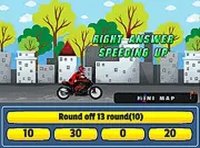
A fun way to practice rounding math while racing. Simple controls and immediate feedback make learning enjoyable.

Children Room Escape Puzzle Game
A delightful, safe puzzle game for kids and families. Colorful, logical, and fun.

Rhyme Match Word Puzzle
A fun, fast-paced word game that sharpens vocabulary and memory. Great for kids and families.

Lightybulb Puzzle Adventure
Lightybulb Puzzle Adventure offers charming, brain-teasing puzzles that are perfect for a relaxing mental workout. Highly recommended.

Constellations Knot Puzzle
A relaxing string puzzle that builds logic and patience. Perfect for short breaks.

Picture Spell Word Game for Kids
A delightful, ad-free spelling game that uses pictures to make learning words fun and stress-free for young children.
Grizzy and the Lemmings Art Studio
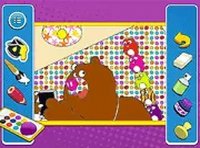
A safe, creative coloring game for kids featuring beloved characters. Easy to use and free to play.
Sprunki Memory Time Kids Game
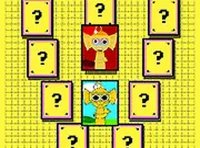
A delightful, free memory game for kids that boosts concentration with colorful cards and progressive levels.