City Drive 3D Exploration
Reviews
City Drive 3D Exploration provides a calming driving experience focused on car customization and open-world exploration. The ability to adjust technical settings like acceleration and handling lets players fine-tune their vehicle. The abandoned city environment is detailed and fun to explore. The game runs smoothly on desktop and supports full screen mode. It is completely free with no ads or purchases, making it a great choice for casual driving fans.
Description
Game Introduction
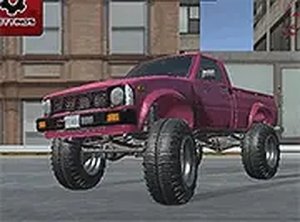
City Drive 3D Exploration is a free-to-play driving game designed for desktop computers. In this game, you take control of a fully customizable vehicle. Before you start driving, you can choose the color of your car and adjust several technical specifications such as spring tension, shock absorption, acceleration, handling, braking, and axle momentum distribution. This level of control allows you to create a vehicle that matches your personal driving style. Once your car is ready, you explore an abandoned city environment. The game offers a full screen option for a more engaging view. The core objective is to drive through the open city, enjoy the scenery, and refine your driving skills. The game is optimized for desktop use, providing smooth controls and graphics. It is a single-player experience that focuses on car customization and open-world exploration.
How to Play
To play City Drive 3D Exploration, you use your keyboard or mouse on a desktop computer. Start by customizing your car's color and technical specifications like acceleration, handling, and braking. Adjust these settings until the car feels right for you. Then, hit the road and drive through the abandoned city. The game works best on desktop and supports full screen mode. You can click the full screen button to expand your view and enjoy the ride. The controls are straightforward, allowing you to steer, accelerate, and brake with ease. The game does not have a specific goal other than to drive and explore the environment. You can take your time to get familiar with the car's behavior and the city layout.
Game Features
City Drive 3D Exploration offers customizable car specifications and colors, allowing you to tailor performance and appearance to your liking. The game is free to play with no hidden costs or in-app purchases. Full screen mode provides an immersive experience by expanding the view to fill your monitor. The game is desktop optimized for smooth controls and graphics. It includes an abandoned city environment to explore, with open roads and scenery. The technical adjustments include spring, shock, acceleration, handling, braking, and axle momentum distribution, giving you fine control over the vehicle's behavior. The game is designed for single-player use and does not require an internet connection to play.
Tips for Success
Experiment with different technical settings to find a balance that suits your driving style. Start with moderate adjustments to acceleration and handling to maintain control. Practice driving in the open city environment to get a feel for the car's behavior. Use full screen mode to reduce distractions and improve focus. Take your time exploring the abandoned city to enjoy the scenery and refine your driving skills. Adjust the spring and shock settings to improve stability on different road surfaces.