Tuk Tuk Parking Simulator
Reviews
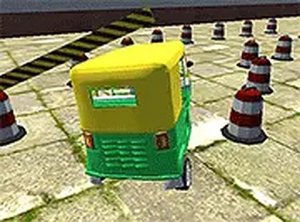
Tuk Tuk Rickshaw Parking Online Game is a well-designed parking simulator that emphasizes skill over speed. The controls are responsive, and the increasing difficulty keeps each level fresh. Players can improve their accuracy with practice, and the game provides clear feedback on performance. It is ideal for short breaks or longer sessions, offering a calm yet engaging challenge. The colorful graphics and simple mechanics make it accessible to all ages. Replayability comes from mastering each parking spot and achieving better accuracy scores.
Description
Game Introduction
Tuk Tuk Rickshaw Parking Online Game - Parking Simulator offers a fresh take on driving games by focusing on careful parking rather than speed. You control a vibrant tuk tuk and must park it in designated spaces without hitting obstacles. The game presents a series of parking scenarios, from narrow city streets to tight corners, each requiring patience and precision. Designed for desktop browsers, it uses keyboard or mouse controls and runs smoothly. This free game is suitable for players of all ages who enjoy skill-based challenges. The colorful graphics and clear parking markers make each level easy to understand but hard to master. Whether you are a fan of parking simulators or just looking for a relaxing puzzle, this game provides a satisfying experience.
How to Play
To play Tuk Tuk Rickshaw Parking Online Game, use the arrow keys or WASD on your keyboard to steer the tuk tuk. Alternatively, you can use the mouse for control in some modes. Your objective is to park the vehicle in the marked spot without colliding with walls, other cars, or obstacles. Each level increases in difficulty, requiring more precise movements. Pay close attention to the parking markers and adjust your speed and angle accordingly. The game gives feedback on your parking accuracy, helping you improve. Start with simple levels and progress to more complex challenges. Remember to move slowly and carefully to avoid mistakes. With practice, you will master each parking puzzle.
Game Features
Fun parking challenges that test your precision. Colorful and detailed tuk tuk design. Controls using keyboard arrow keys, WASD, or mouse. Free to play with no downloads required. Full-screen mode for an immersive experience. Levels with increasing difficulty to keep you engaged. Instant feedback on parking accuracy to help you learn.
Tips for Success
To succeed in Tuk Tuk Rickshaw Parking Online Game, practice regularly to improve your spatial awareness and control. Focus on slow, deliberate movements to avoid collisions. Study each parking space before moving, and plan your approach. Use the feedback provided after each attempt to refine your technique. Take breaks if you feel frustrated, as patience is key. Experiment with different control methods (keyboard vs. mouse) to find what works best for you.
Compatibility
▸ Desktop: Chrome / Edge / Firefox / Safari ▸ Mobile: iOS Safari / Android Chrome ▸ Tablet: iPadOS Safari / Android Tablet Browser Keep your browser updated for the best experience
Faq
Is the game free to play?
What platforms does the game support?
Can I play in full-screen mode?
Are there different levels of difficulty?
Does the game provide feedback on my parking?
Can I use both keyboard and mouse controls?
Related Picks
Park The Taxi 2 Parking Puzzle
Clean controls and clever puzzles. Perfect for quick, focused play sessions.
SuperMoto GT Racing Game
Smooth 3D graphics and responsive controls. The multiplayer mode adds great replay value.
Drift Empire 3D Racing Game
Smooth controls and vibrant tracks make this a solid choice for drift fans. Great for quick sessions.
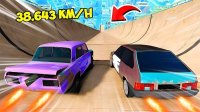
Turbo Cars: Pipe Stunts Driving
Fast neon stunt racing with fun car unlocks. Great for quick adrenaline bursts.
Hue Run Speed Racing Arcade
Clean design and smooth gameplay. Great for short breaks.
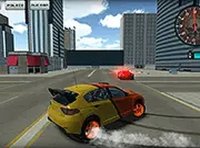
Desert Racer Arcade
Smooth driving and peaceful desert views. Perfect for relaxing breaks.
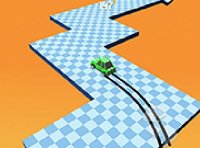
Drift Boss Arcade Racing Game
Simple controls, addictive gameplay, and colorful tracks. Great for quick fun.
Military Vehicle Transport Simulator
Realistic 3D driving with clear objectives. Good for practicing vehicle control.