SpeedWay Racing Arcade Game
Driving Racing
SpeedWay Racing Arcade Game
165
Developer: Armor Core Creations
Published: 2026-03-05
Updated: 2026-06-12

Reviews

SpeedWay Racing Online Game delivers a polished arcade racing experience. The 3D graphics are clean and the controls respond well to keyboard input. The interactive choice system adds a layer of strategy that makes each race feel different. Full-screen mode works seamlessly, enhancing immersion. While the game is simple to pick up, the varying tracks and decision points give it good replay value. It is a solid choice for casual gamers looking for a free, no-download racing fix.

Description

Game Introduction

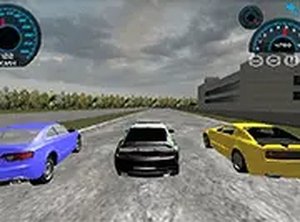
SpeedWay Racing Arcade Game is a browser-based racing experience that puts you behind the wheel of powerful cars on dynamic 3D tracks. Designed for desktop play, this arcade-style racer focuses on fast-paced driving with moments where your choices can affect the race outcome. The game uses cool graphics to create an immersive environment, and full-screen mode helps you focus on every turn and straightaway. No downloads or installations are needed, so you can start racing instantly. Whether you have a few minutes or want a longer session, SpeedWay Racing delivers pure driving fun.

How to Play

Use your keyboard or mouse to control your car. Arrow keys or on-screen buttons let you steer left and right, accelerate, and brake. During the race, you may encounter decision points where you can choose a different path or tactic to gain an advantage. The game is optimized for desktop computers, so play on a PC or laptop for the best experience. To enter full-screen mode, click the full-screen button in the game interface. No special setup is required; just open your browser and start racing.

Game Features

Smooth 3D graphics create realistic racing environments. Fast driving speeds test your reflexes. Interactive choices during races add a layer of strategy. Full-screen mode provides an immersive view. No downloads or installations are needed. The game is free to play in your browser, making it accessible anytime.

Tips for Success

To improve your performance, practice controlling your speed around corners to avoid losing momentum. Pay attention to decision points during races, as choosing the right path can give you an edge. Use full-screen mode to minimize distractions and focus on the track. Regular practice will help you learn track layouts and improve your reaction times.

❓ Having issues?

✅ This game supports: - Desktop browsers (Chrome, Edge, Safari) - Mobile browsers (Chrome on Android, Safari on iOS) ❌ Does NOT support: - Internet Explorer - Very old browser versions 👉 Try refreshing or updating your browser

Faq

Is SpeedWay Racing available on mobile devices?
The game is optimized for desktop computers, so it is best played on a PC or laptop. It may not perform as well on mobile devices or tablets, as the controls and interface are designed for larger screens and keyboard or mouse input.
Do I need to create an account to play?
Typically, browser-based arcade racing games like SpeedWay Racing do not require an account. You can usually start playing immediately by opening the game in your browser. However, some versions may offer optional account features for saving progress or high scores.
Are there different cars to choose from?
Based on the game name and type, it is common for racing games to offer multiple vehicles. SpeedWay Racing may include a selection of cars with varying attributes, but specific details about the number or types of cars are not confirmed from the available information.
Can I play SpeedWay Racing offline?
No, SpeedWay Racing is a browser-based online game, so you need an internet connection to play. It runs directly in your web browser and does not require any downloads, but it cannot be played offline.
Does the game have a multiplayer mode?
The game name and tags do not specify multiplayer features. SpeedWay Racing may focus on single-player racing against AI opponents. Some racing games of this type include online leaderboards or time trials, but that is not confirmed here.
How do I access full-screen mode?
To enter full-screen mode, look for a full-screen button typically located in the game interface, such as in the corner of the screen or within a settings menu. Clicking it will expand the game to fill your monitor, providing a more immersive racing experience.