Ultimate Street Racing 3D
Reviews
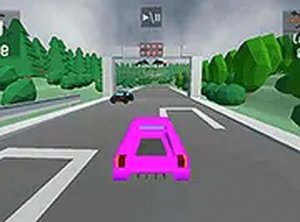
Ultimate Street Racing 3D delivers an enjoyable racing experience directly in your browser. The multiple game modes, including time trial and split-screen multiplayer, provide good variety. The controls are responsive, and the 3D graphics are pleasant for a browser game. It is easy to pick up and play for a few minutes or longer sessions. The lack of downloads is a major plus. A solid choice for casual racing fans.
Description
Game Introduction
Ultimate Street Racing 3D is a browser-based racing game that places players in control of high-performance vehicles on city streets. The core objective is to compete in various racing challenges, from standard races against AI opponents to time trials and score-based events. The game stands out for its combination of accessible controls and multiple game modes, all presented in a colorful 3D environment. Players can choose from a selection of cars and test their driving skills across different tracks. The game is designed to be easy to pick up for newcomers while offering enough depth for experienced racers to master techniques like drifting and cornering. Since it runs directly in a web browser on desktop computers, there is no need for downloads or installations, making it instantly playable. The inclusion of a split-screen multiplayer mode allows two players to compete on the same computer, adding a social element to the racing experience.
How to Play
Players control their vehicle using standard keyboard inputs for acceleration, braking, and steering. In the main race mode, the goal is to finish ahead of AI opponents. The time trial mode challenges players to complete laps as quickly as possible, while score attack mode rewards points for performing stunts and maintaining high speeds. The split-screen mode enables two players to race against each other on the same machine. Before each race, players can select their preferred car from the available options. The game provides a full-screen mode for a more immersive view. Mastering smooth steering and braking is key to maintaining speed through corners, and learning the layout of each track helps in choosing the best racing line.
Game Features
Ultimate Street Racing 3D offers several game modes including standard racing against AI, time trial for best lap times, score attack for points through stunts and speed, and split-screen multiplayer for local competition. The game features good 3D graphics and smooth controls that contribute to an immersive feel. It is free to play directly in a web browser on desktop computers without any download or installation required. A full-screen mode is available to enhance the visual experience. The game is designed to be accessible to players of all skill levels, with easy-to-learn controls and a gradual learning curve for more advanced techniques like drifting.
Tips for Success
To improve performance in Ultimate Street Racing 3D, practice smooth steering and braking to maintain speed through corners. Learning each track layout helps anticipate turns and choose the most efficient racing line. Using drifting techniques can help navigate tight bends without losing momentum. In score attack mode, focus on performing stunts and keeping speed high to maximize points. For time trial, consistent lap times are more effective than risky all-out speed. Playing split-screen with a friend can also help improve by observing their strategies.
Compatibility
Faq
Is Ultimate Street Racing 3D free to play?
Can I play Ultimate Street Racing 3D on my mobile phone or tablet?
How many cars can I choose from in the game?
Does the game have any sound or music?
Can I pause the game during a race?
Are there any leaderboards or high scores in the game?
Related Picks
Taxi Parking Puzzle 2
A fun and challenging parking puzzle that tests your precision and planning. Great for all ages.
SuperMoto GT Motorcycle Racing
SuperMoto GT offers thrilling 3D motorcycle racing with smooth controls and progressive difficulty, perfect for quick gaming sessions.
Drift Kingdom 3D Racing Game
A smooth, visually appealing arcade drifter with responsive controls and fun track variety.
Turbo Cars: Pipe Stunts Driving
Fast-paced arcade racing on neon pipe tracks with a great car collection and nitro boosts.
Hue Run Speed Racing
A vibrant, reflex-based racing game that is easy to learn and highly addictive.
Desert Drive Adventure
A relaxing open-world driving game with three unique vehicles and peaceful desert exploration.
Drift Master Arcade Driving Game
Drift Master offers addictive arcade driving with simple controls and constantly changing tracks. Unlocking new vehicles adds great replay value.
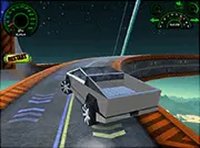
Electric Truck Sky Climb Adventure
A unique vertical driving challenge with realistic physics and stunning space landscapes. Great for casual players.