Teen Titans Go Remote Recovery
Reviews
Teen Titans Go Remote Recovery offers a lighthearted and engaging experience for fans of the series. The controls are intuitive, and the levels are short but challenging. It runs smoothly on both desktop and mobile, with no downloads needed. A perfect pick for a quick break.
Description
Game Introduction
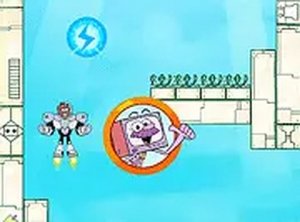
Teen Titans Go Remote Recovery is a lighthearted online action game that places you in the role of a Teen Titan on a crucial mission. The remote control has gone missing, causing a bit of panic among the team. Your task is to fly through various levels, avoiding tricky traps, and retrieve the remote to restore order. This game is designed for fans of the Teen Titans Go series and anyone looking for a quick, fun challenge. It runs directly in your browser on both desktop and mobile devices, with no downloads needed. Best of all, it is completely free to play. The game offers a simple yet engaging experience that captures the playful spirit of the show.
How to Play
Players use the arrow keys on their keyboard to control the Titan's movement. The goal is to fly up and down to navigate through obstacles and traps that block the path. The objective is to reach the remote control and land safely on a platform. The game requires quick reflexes and careful timing to avoid hazards. On mobile devices, touch controls are available for easy gameplay. Each level presents new challenges, so staying alert and keeping moving is key to success.
Game Features
This game offers fun, family-friendly gameplay based on the Teen Titans Go series. It features simple controls that are easy to learn. No downloads or installations are required, and it works on desktop and mobile browsers. The game is free to play with no hidden costs. Quick levels make it ideal for short play sessions, providing a lighthearted challenge for players of all ages.
Tips for Success
Practice your timing to navigate obstacles smoothly. Stay focused and anticipate upcoming traps. Use short, controlled movements to avoid overcorrecting. If you get stuck on a level, take a break and try again with a fresh perspective. Learning the pattern of each level can help you progress faster.