Ice Bear Drawing Tutorial
Reviews
Ice Bear Drawing Tutorial offers a calm and guided drawing experience that is perfect for kids and beginners. The step by step instructions are clear, and the ability to retry any step removes pressure. The final animation is a nice reward. It works smoothly on all devices without downloads.
Description
Game Introduction
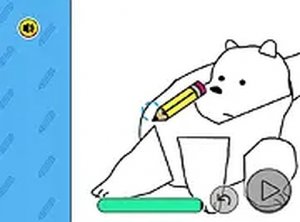
Ice Bear Drawing Tutorial is a creative and relaxing online activity where players follow guided instructions to draw a character from a popular animated series. The game is designed to help users practice art skills by tracing lines and shapes that gradually form the character's face and body. Each step builds upon the previous one, so by the end, a complete drawing is revealed. This game is suitable for players of all ages who enjoy art and want a calm, educational experience. It runs smoothly in a web browser on both desktop computers and mobile devices, with no downloads or sign-ups required. Whether you are a beginner or have some drawing experience, you can work at your own pace and enjoy the process of creating a recognizable character. The game focuses on precision and creativity, making it a great tool for improving hand-eye coordination and artistic confidence.
How to Play
To play, use your mouse on a computer or your finger on a touchscreen device. The game shows you where to draw next, and you simply trace the lines as accurately as possible. Each stage focuses on a different part of the drawing, such as the head, ears, or body. If you make a mistake, you can retry that step until it looks right. The pace is relaxed, so you can focus on precision and creativity. Once you finish all stages, the drawing is complete and you will see a fun animation. You can also switch to full screen mode for a more immersive experience. The game is free to play with no sign-ups or downloads needed.
Game Features
Guided step by step drawing process. Suitable for all ages and skill levels. Works on desktop and mobile browsers. Free to play with no downloads or registration. Full screen mode available for better focus. Fun animation reward upon completion.
Tips for Success
Take your time with each step to improve accuracy. If you make a mistake, do not worry—you can retry the step as many times as you like. Focus on tracing the lines smoothly rather than rushing. Practicing regularly can help improve your hand-eye coordination and drawing skills. Enjoy the process and have fun creating your artwork.