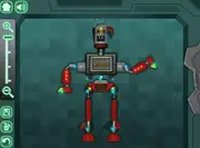
Annedroids Workbench Robot Builder
Reviews
Annedroids Workbench is a charming and well-designed building game for children. The drag-and-drop controls are intuitive, and the variety of parts encourages repeated play. Kids can experiment with different designs and colors, which supports creative thinking. The game runs smoothly on any device without downloads. It is a safe, ad-free experience that parents can trust. The open-ended nature means no two robots are alike, offering high replayability. Perfect for young fans of the Annedroids series or any child who enjoys building and creating.
Description
Game Introduction
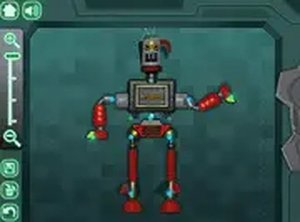
Annedroids Workbench invites children to step into a cheerful workshop where they can become robot inventors. Inspired by the Annedroids series, this game allows kids to select from a variety of robot parts including heads, arms, legs, and bodies. They can mix colors and shapes to create a unique mechanical friend. The open-ended design encourages creativity and experimentation. There are no timers or scores, so children can build at their own pace. This family-friendly experience is perfect for young fans of the show and newcomers alike. It runs directly in the browser on any device, making it easy to start playing instantly.
How to Play
Playing Annedroids Workbench is simple. Use a mouse or touch screen to choose robot parts from the workbench. Drag and drop each part onto the robot to change its appearance. Try different combinations of heads, arms, legs, and bodies. The game allows you to change colors and shapes freely. Once the robot is complete, you can interact with it in playful ways. There are no complex rules or timers. If you want to start over, just reset and try a new design. This process helps develop fine motor skills and creative thinking in a stress-free environment.
Game Features
Creative robot building with many parts and colors. Kid-friendly controls that work on any device. No downloads or installations required. Safe, ad-free environment for children. Encourages imagination and problem-solving.
Tips for Success
Encourage your child to experiment with different color and part combinations to see what looks best. There are no wrong answers, so let them explore freely. If they get stuck, suggest trying a symmetrical design or using contrasting colors for a fun look. The open-ended nature means they can build as many robots as they like, so don't be afraid to start over and try something new. This builds confidence and creativity.
❓ Having issues?
✅ This game supports: - Desktop browsers (Chrome, Edge, Safari) - Mobile browsers (Chrome on Android, Safari on iOS) ❌ Does NOT support: - Internet Explorer - Very old browser versions 👉 Try refreshing or updating your browser