Word Jumble Puzzle Challenge
Reviews
Word Jumble Puzzle Challenge is a straightforward and enjoyable word unscramble game. The two modes provide good variety: Endless mode is relaxing, while Time mode adds a fun sense of urgency. The interface is clean and works well on any device. It is completely free with no downloads, making it easy to play anytime. A solid choice for a quick brain teaser.
Description
Game Introduction
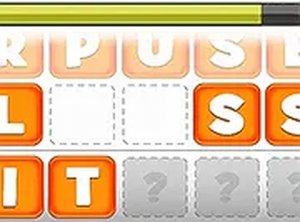
Word Jumble Puzzle Challenge is a word puzzle game that presents players with scrambled five-letter words. The core objective is to rearrange the letters to form a correct word before time expires. This game provides a gentle mental exercise that can be enjoyed by players of all ages. It runs directly in a web browser on any device, including smartphones, tablets, and computers, so there is no need to download any software. The game is completely free to play, making it accessible to anyone with an internet connection. Two distinct modes offer variety: Endless mode gives a generous 20 seconds per word for a relaxed pace, while Time mode challenges players to solve as many words as possible within three minutes. This structure allows players to choose the experience that best fits their mood or available time. The game is designed to be intuitive and easy to pick up, with a clean interface that focuses on the puzzle itself. It is a great way to pass a few minutes while giving the brain a light workout. The game tracks the player's score based on correct answers, encouraging repeated play to improve personal bests. Overall, Word Jumble Puzzle Challenge is a straightforward, family-friendly word game that emphasizes vocabulary and quick thinking without any complex rules or mature themes.
How to Play
To begin, players select either Endless mode or Time mode from the main menu. In Endless mode, each word must be unscrambled within 20 seconds. Players can type their answer using a keyboard or click the letters displayed on the screen. If a word proves too difficult, the option to skip to the next word is available. In Time mode, the goal is to solve as many words as possible within a three-minute limit. The game automatically advances to the next scrambled word after a correct answer or when time for that word runs out. The score increases with each correct word solved. The controls are straightforward, allowing players to start playing immediately without a lengthy tutorial. A full-screen option is available for a more focused experience. The game provides immediate feedback on whether the entered word is correct, helping players learn as they play.
Game Features
Word Jumble Puzzle Challenge includes two distinct game modes: Endless mode for a relaxed pace and Time mode for a faster challenge. The game is mobile-friendly and works seamlessly across different devices and screen sizes. It is free to play with no downloads or installations required. The user interface is clean and easy to navigate, with clear buttons and text. Players can track their score and aim to improve over time. A full-screen option is available to minimize distractions. The game runs entirely in the browser, making it accessible on any device with an internet connection. These features combine to create a simple, accessible word puzzle experience.
Tips for Success
Practice regularly to improve your ability to recognize common letter patterns in five-letter words. Focus on identifying prefixes and suffixes, as these often provide clues to the correct word. In Time mode, skip difficult words quickly to maximize the number of words you can attempt. Playing Endless mode can help build your vocabulary at a comfortable pace before tackling the timed challenge. Staying calm and focused will help you think more clearly.